Your playlist deserves a big screen.
TV guide, back to the start of the show, four channels at once, movies and shows: iProTV turns your M3U or Xtream Codes list into real TV.

Free download. Apple TV, iPhone, iPad and Mac. No account to create, no ads.
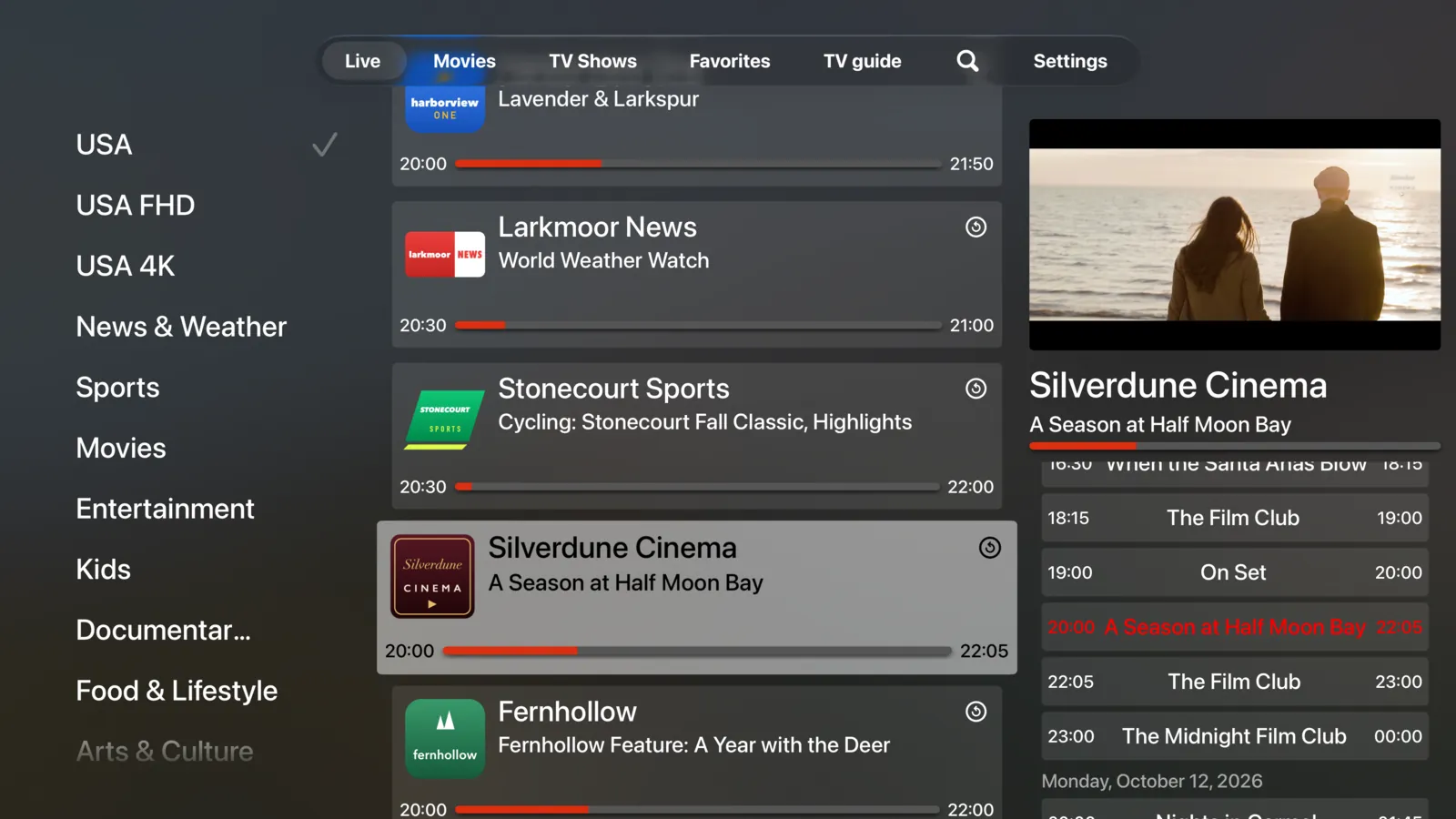
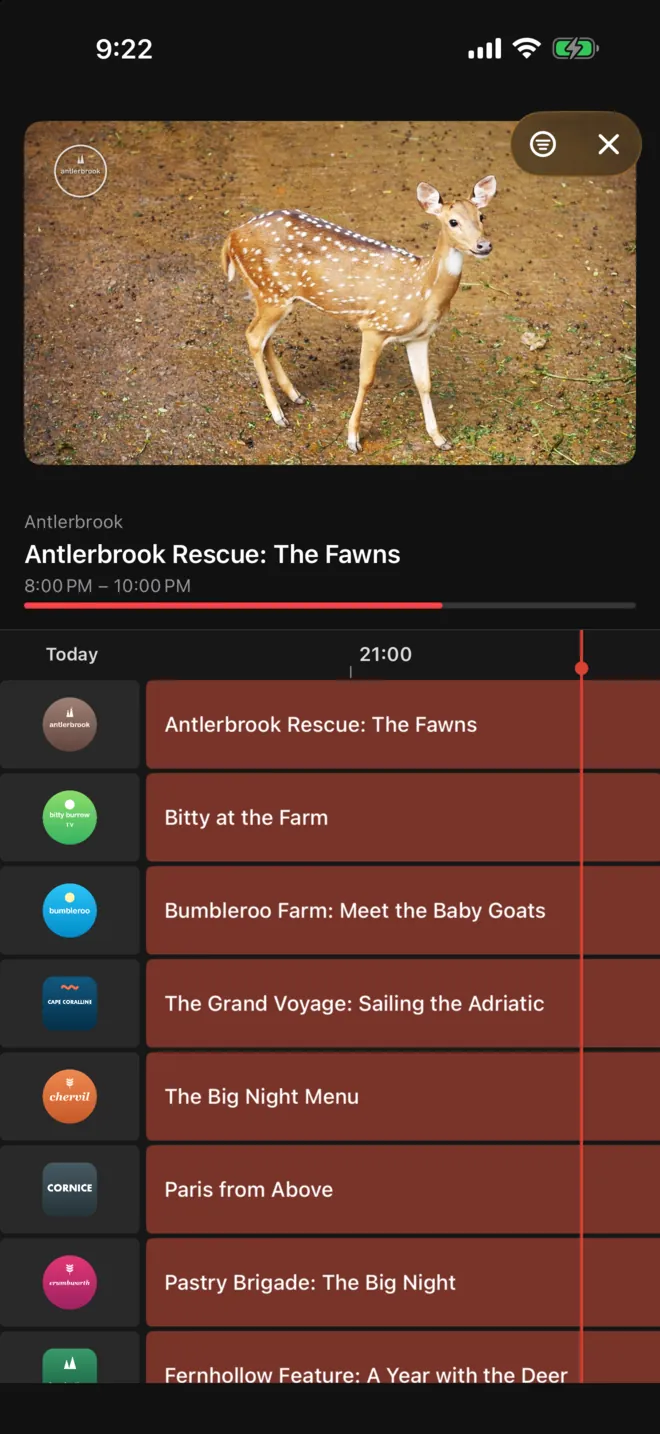
No channels included. iProTV is only a player: it does not provide, sell or host any channels, content or IPTV subscriptions. You use it with your own list, legally obtained from the provider of your choice.
The TV guide, at a glance
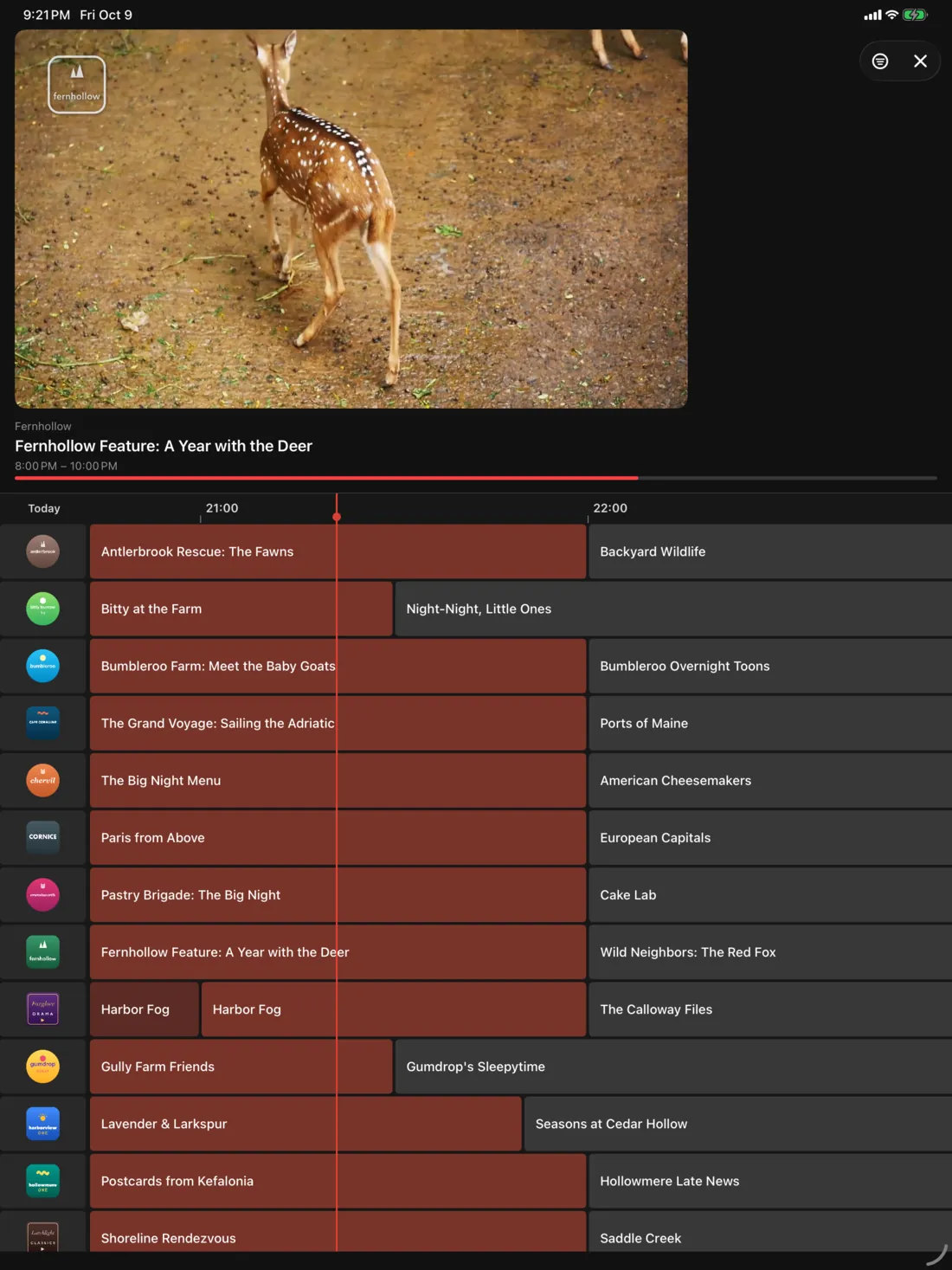
Live TV on top, your channels’ whole evening below: what’s on now and what’s coming up on every channel.
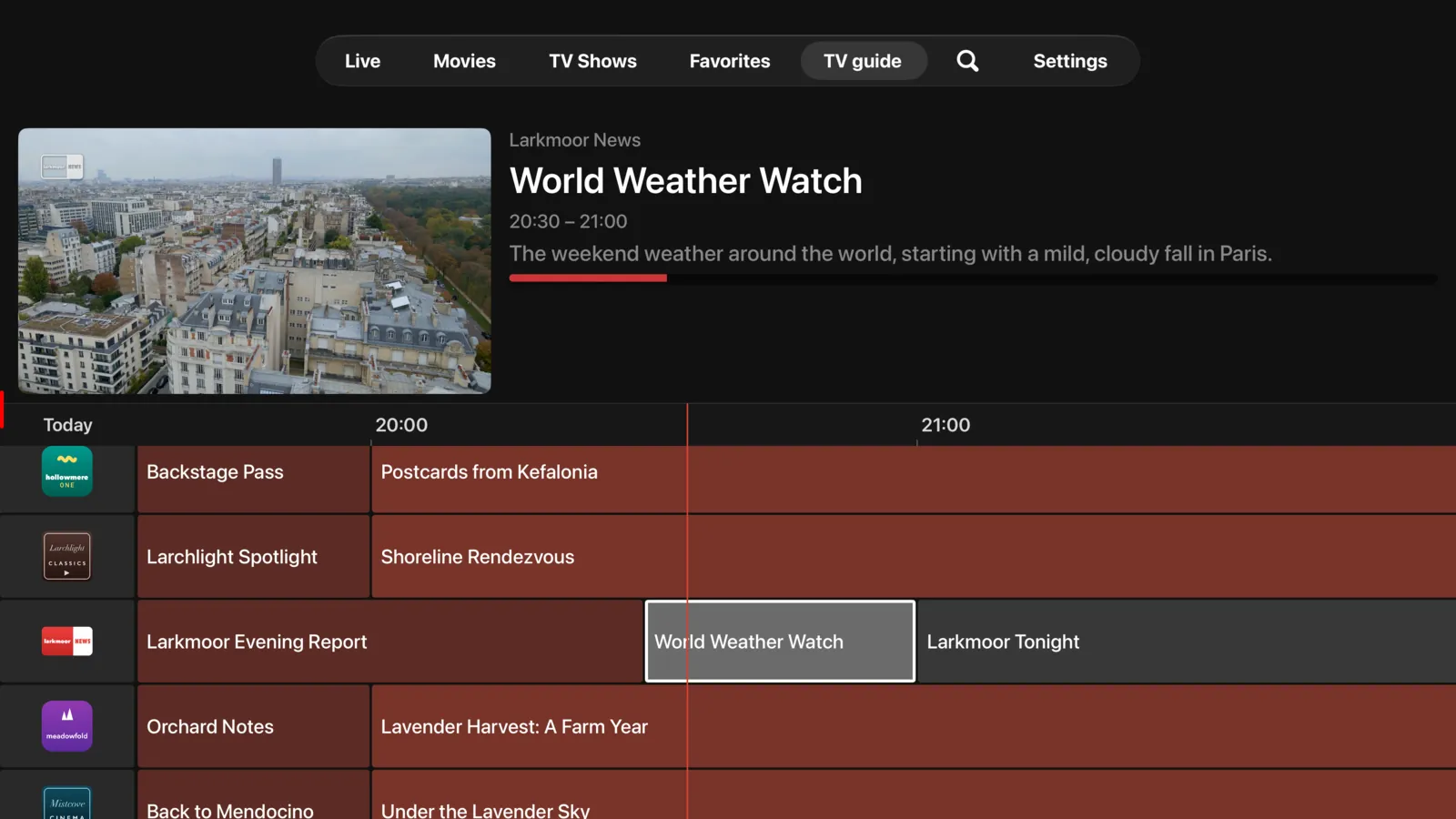
Go back to the start of the show
Show already started? Go back to its beginning, then return to live in one move. A show that already aired? Find it with “Watch again”.

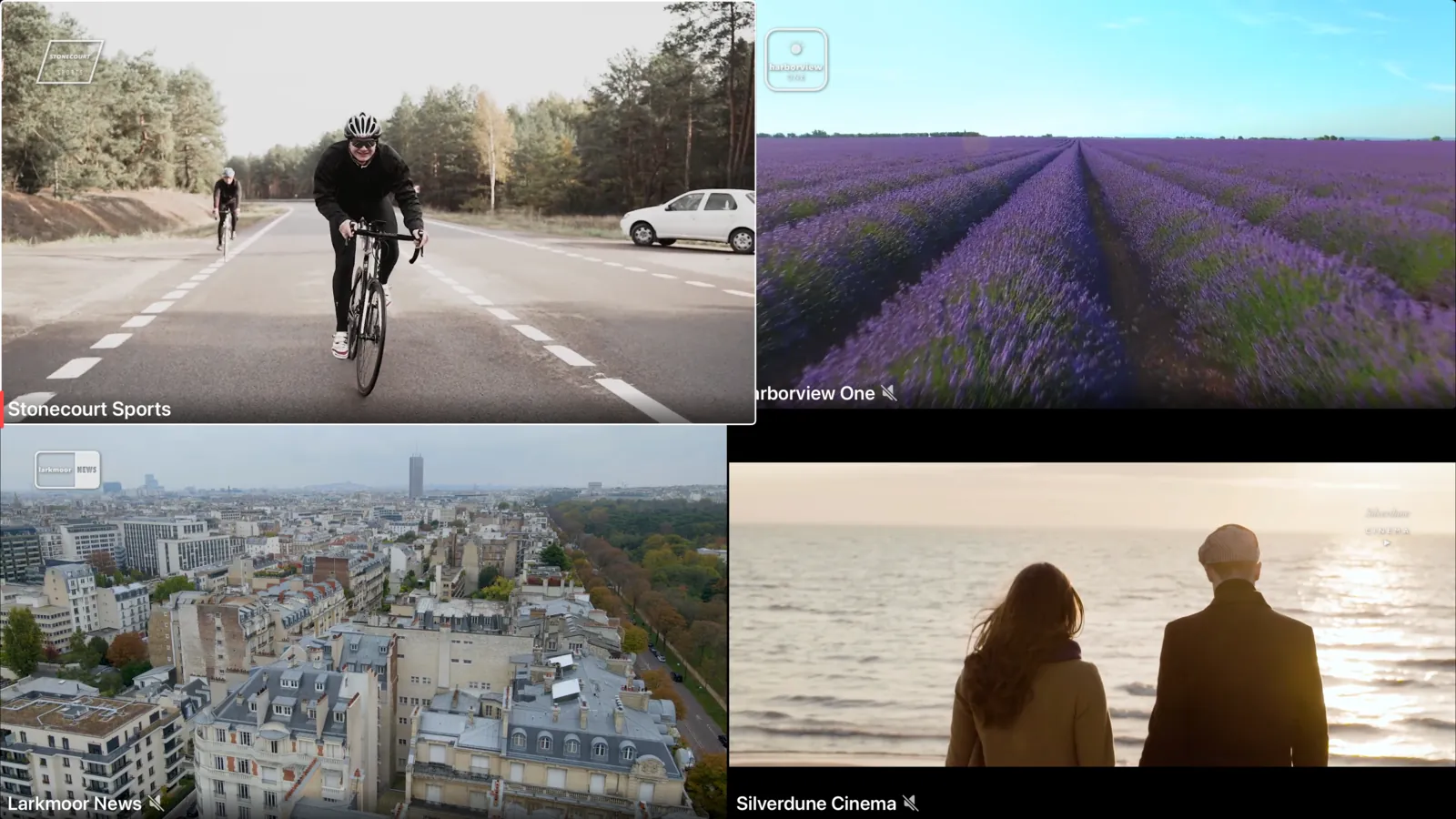
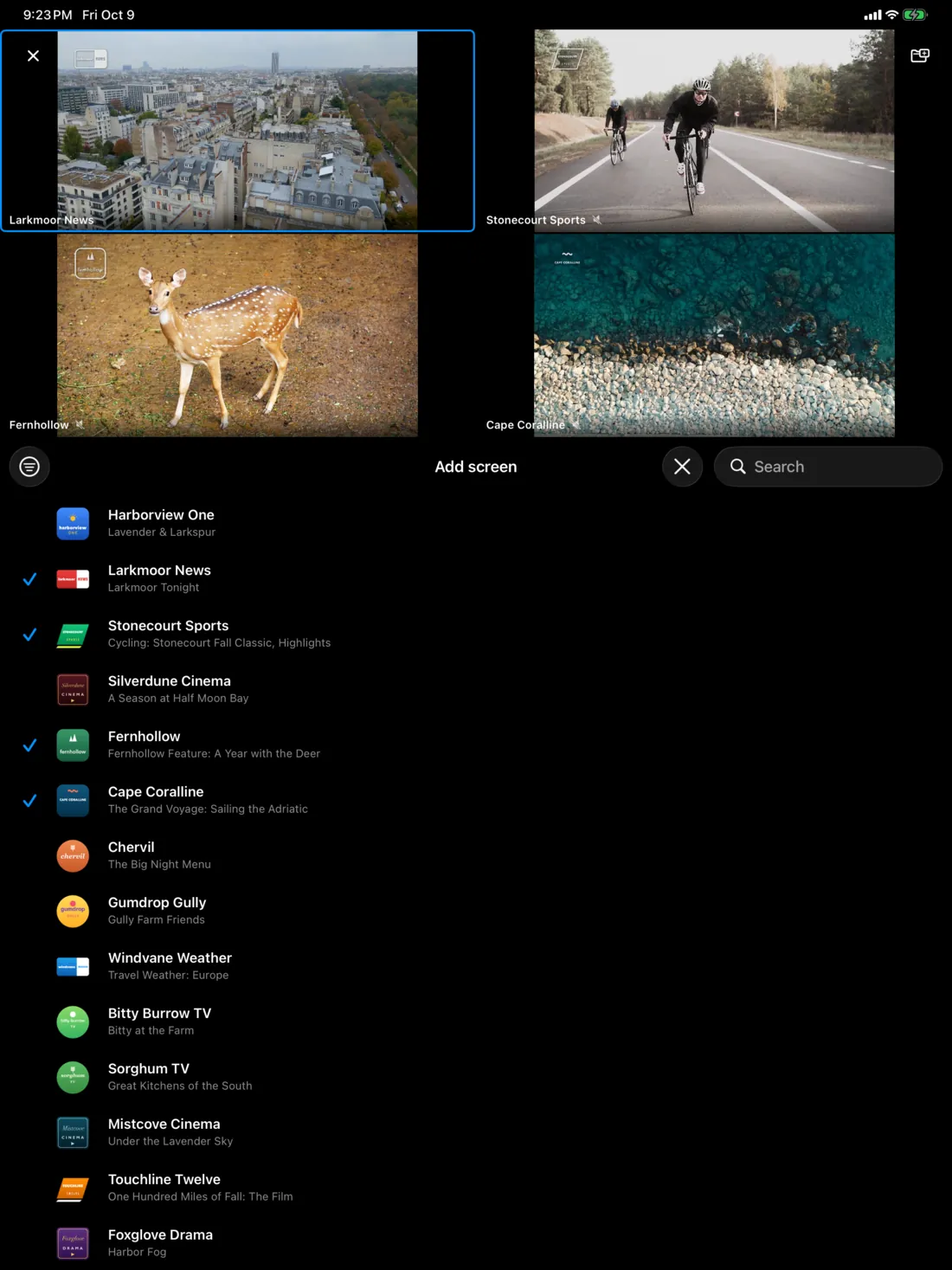
4 channels at once
Watch up to four channels on a single screen and keep your favorite combinations.
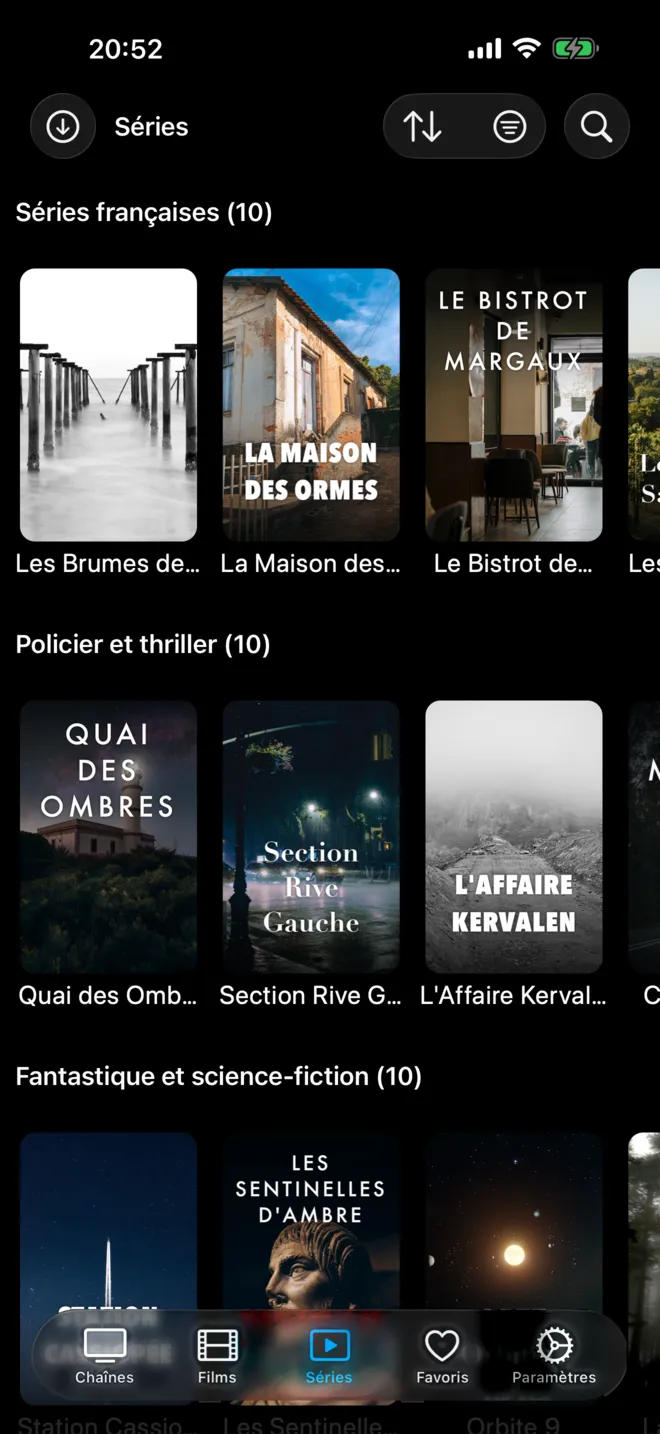
Your movies and shows, neatly organized
A real info page for every title in your list, suggestions based on your tastes, and picking up where you left off, even on another device.

Cinema Mode
Your Home app scenes follow playback: the lights dim and the blinds come down when the movie starts.

What users say
3.0I've been using this app for several years now, and honestly, the developer has been pretty cool, responding to my questions and such. But back to the update.. This app is packed with features!! Multi-screen watching. It's a must in sports season. With the new update, everything is fast. The design is minimal. I don't think much has changed; a lot of that work happened behind the scenes, and I appreciate that. When you have a developer committed to updates, you can't go wrong!!
Thanks for the developersI would like to thank the developers for their amazing work in making this app even better than before. This is exactly the kind of improvement I’ve been waiting for. Great job, and keep up the excellent work!
Really GoodVery happy with the updates, the app is now quicker, functionality works really well and it now has the best multi-view of all apps I’ve tried. Well done!!
Great AppNice app! Great update! Version 3 fixed the issue on macOS where the video would pause when the window was not active. It’s good now. Thank you!
The Best iptv app Ever!!The best iptv apps features!!
5-star reviews published on the App Store (United States, Canada, Egypt).
And more
Lightning-fast loading
Your playlists load in no time.
Recording
Record your shows and TV’s big moments on iPhone, iPad and Apple TV.
Offline
Download movies and episodes to watch without internet, on iPhone and iPad.
Picture and sound
4K UHD, HDR, HDR10+, Dolby Vision and Dolby Atmos, depending on the video and your device.
Playback restarts on its own
Picture cuts out? Playback restarts on its own, or on another channel.
Skip intro
A “Skip intro” button on many shows.
Subtitles
Add subtitles in your language (OpenSubtitles account required).
Sleep timer
Playback stops after the time you choose or, on channels, at the end of the program.
Pro Mode
Live football: scores, line-ups, stats and standings. Depending on your country.
CarPlay
In the car, listen to your channels and radio from your iPhone.
Profiles and favorites
One profile per person with their own favorites. Several lists and providers.
Parental Controls
Lock groups, channels, movies or shows with a passcode.
Search
Quickly find a channel, a show that’s on now, a movie or a series.
AirPlay and Picture in Picture
Send the picture to your TV, or keep it in a small window (compatible videos).
Siri, widgets, Spotlight
Your channels within reach: Siri, Shortcuts, widgets and the Apple TV Home Screen.
Some features (TV guide, catch-up, live TV control, movies and shows…) are only available if your list and your provider offer them.
On all your Apple screens
Apple TV
The big screen in your living room: TV guide, 4 channels at once, Cinema Mode, and your content on the Home Screen.
iPhone
TV in your pocket: offline downloads, Picture in Picture, widgets, and CarPlay for audio.
iPad
The comfort of a large touchscreen: full TV guide, 4 channels at once, downloads.
Mac
On your desk: the same app as on iPad, with Picture in Picture to watch while doing something else.
One purchase for all your devices. iOS, iPadOS, tvOS or macOS 26 or later; on Mac, Apple silicon (M1 or later).
Frequently asked questions
Does iProTV provide channels or an IPTV subscription?
No. iProTV is only a player: it does not provide, sell or host any channels, content or IPTV subscriptions. You use it with your own list, legally obtained from the provider of your choice.
How do I add my playlist?
- Open Settings, then “Add Provider”. On first launch, the app opens straight to Settings.
- Choose “Xtream Codes” if your provider gave you a server address, a username and a password, or “Remote File m3u” if it gave you a link.
- Give your playlist a name, enter that information, then confirm with “Add”.
Your channels, movies and shows appear as soon as loading finishes. To add another playlist, do the same again: you switch between them from Settings, with “Select Provider”.
Which devices does iProTV work on?
Apple TV, iPhone, iPad and Mac. You need tvOS, iOS, iPadOS or macOS 26 or later; on Mac, Apple silicon (M1 or later). One purchase covers all your devices.
Do I need to create an account?
No. There is no account to create and no ads. Your favorites and your progress sync between your devices with your iCloud account.
Why doesn’t the TV guide or catch-up appear on some channels?
The TV guide, going back to the start of the show and “Watch again” depend on what your list and your provider offer. If your provider does not supply them for a channel, the app cannot show them.
Can I watch without an internet connection?
Yes, on iPhone and iPad: download a movie or an episode, then watch it offline from the Downloads screen.
Are my favorites and my progress synced between my devices?
Yes, thanks to iCloud: you pick up a movie or a show where you left off, even on another device signed in to the same Apple Account.
Which formats and qualities are supported?
iProTV plays the vast majority of formats, including 4K UHD, HDR, HDR10+, Dolby Vision and Dolby Atmos, depending on the video and your device.
What happens if the picture cuts out?
Playback restarts on its own, or the app offers you another channel. Stability also depends on your connection and your provider.
Can I keep my children away from certain content?
Yes. Parental Controls lock groups, channels, movies or shows with a passcode: they disappear from the app.
Is iProTV free?
The download is free. iProTV Premium unlocks all features: monthly, yearly with a 7-day free trial for new subscribers, Family yearly with Family Sharing, or a one-time lifetime purchase. The price is shown in the app before any purchase.
I bought iProTV before version 3.0. Do I have to pay again?
No. You keep everything, for life, at no extra cost. If needed, open Settings › Subscription › Restore purchases.
How do I cancel my subscription?
You can manage or cancel your subscription anytime in your Apple Account settings. It renews automatically unless it is cancelled at least 24 hours before the end of the current period.
How do I contact support?
Write to support@iprotv.app and tell us your device (Apple TV, iPhone, iPad or Mac) and what you are seeing.

Tonight, you decide what’s on.
Free download. Apple TV, iPhone, iPad and Mac.